

Education · QR in the book, next to the lesson
Lesson: equivalent fractions
A school put a QR next to each lesson in the workbook.
Scan it with your phone
Open on this screenQR code video for businesses
Upload a video, download its QR code and put it on your product, book, machine or packaging. Anyone who scans it watches it instantly on their phone, no app needed.
No card required. Your account is ready in 2 minutes.
Solutions
Anything that's easier to understand on video than on paper.
 Products and after-salesAssembly, installation and first use, right on the box.For importers, brands and online storesSee how it works
 EducationThe video explanation, right next to the exercise.For schools, teachers, publishers and academiesSee how it works
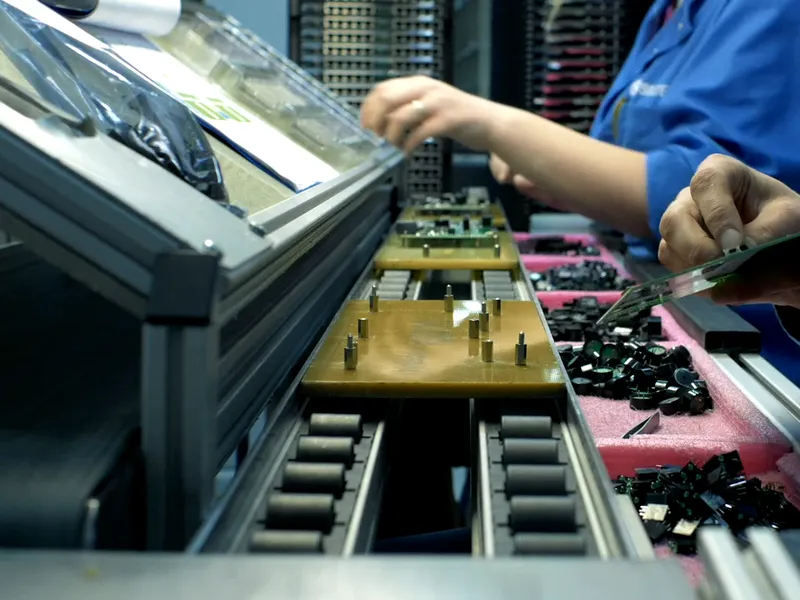 Training and operationsThe procedure on video, right next to the machine.For factories, restaurants, stores and franchisesSee how it works
 Packaging and marketingRecipes, demos and promotions on the packaging.For consumer brands, agencies and retailSee how it works
How it works
No designer, no developer, and no asking anyone to install anything.
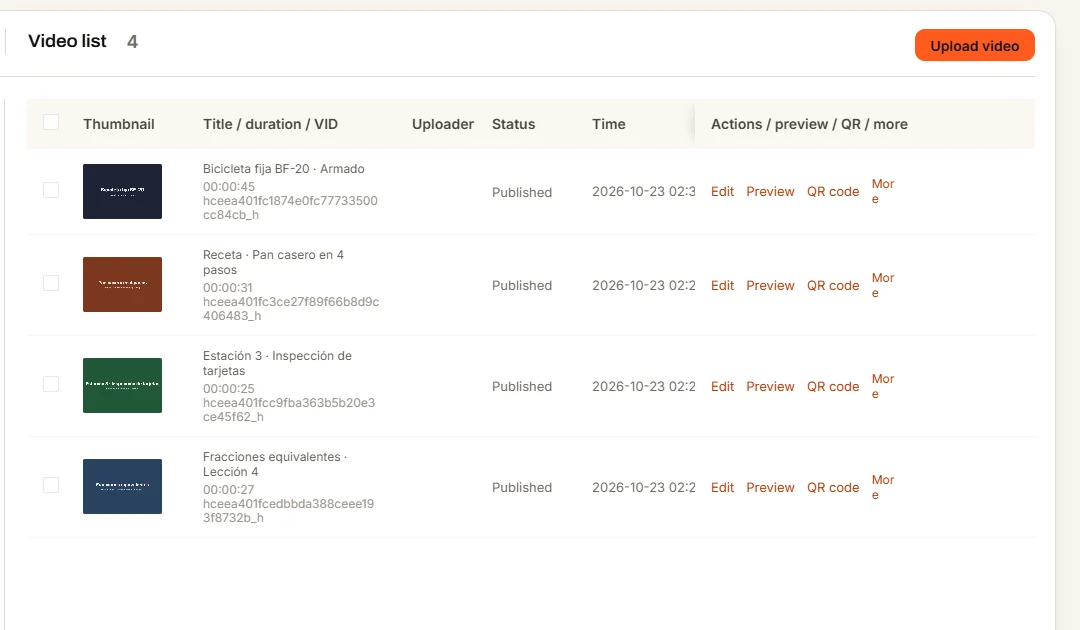
1
Drag it from your computer (up to 2 GB per file). In a few minutes it's ready to play on any phone.
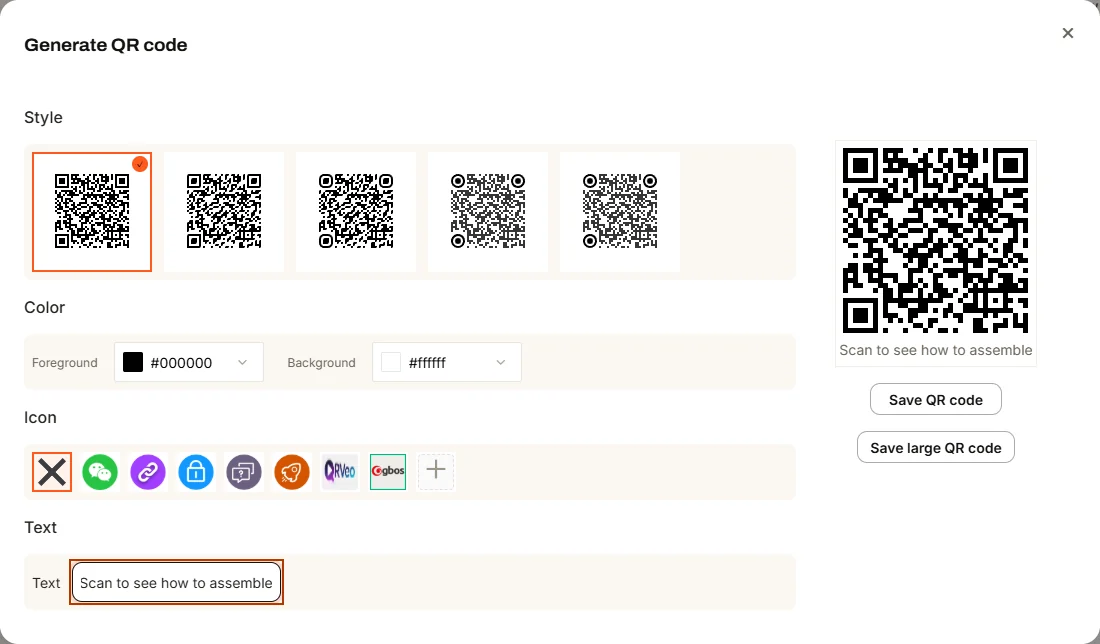
2
Every video gets its own code. Pick the style and colors, and put your logo in the center.
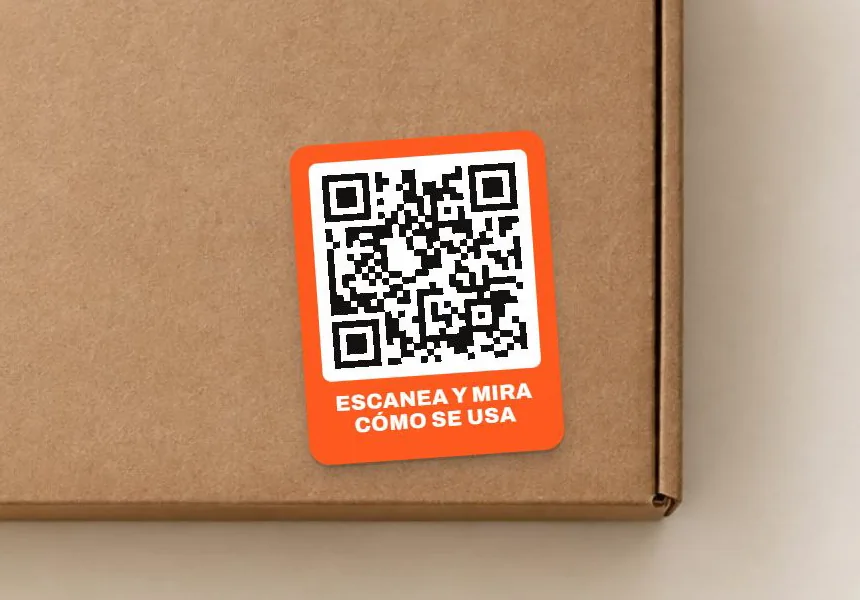
3
On the box, the label, the book, the machine or a poster. You can also send the link on WhatsApp.
The key part
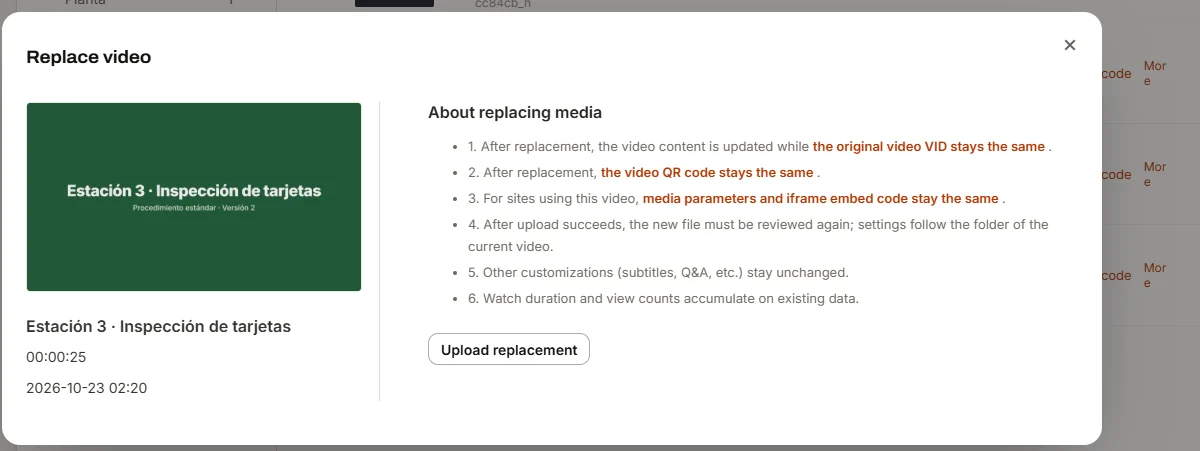
Replace the video from your dashboard and the same code shows the new version. Everything you already printed keeps working: no reprinting boxes, books or labels. Your stats keep adding up.
Examples
Demo videos published on QRveo. Point your phone's camera at the code.
Education · QR in the book, next to the lesson
A school put a QR next to each lesson in the workbook.
Scan it with your phone
Open on this screen
Training and operations · QR at the workstation
An assembly plant stuck a QR on each station with the current procedure.
Scan it with your phone
Open on this screenYour dashboard
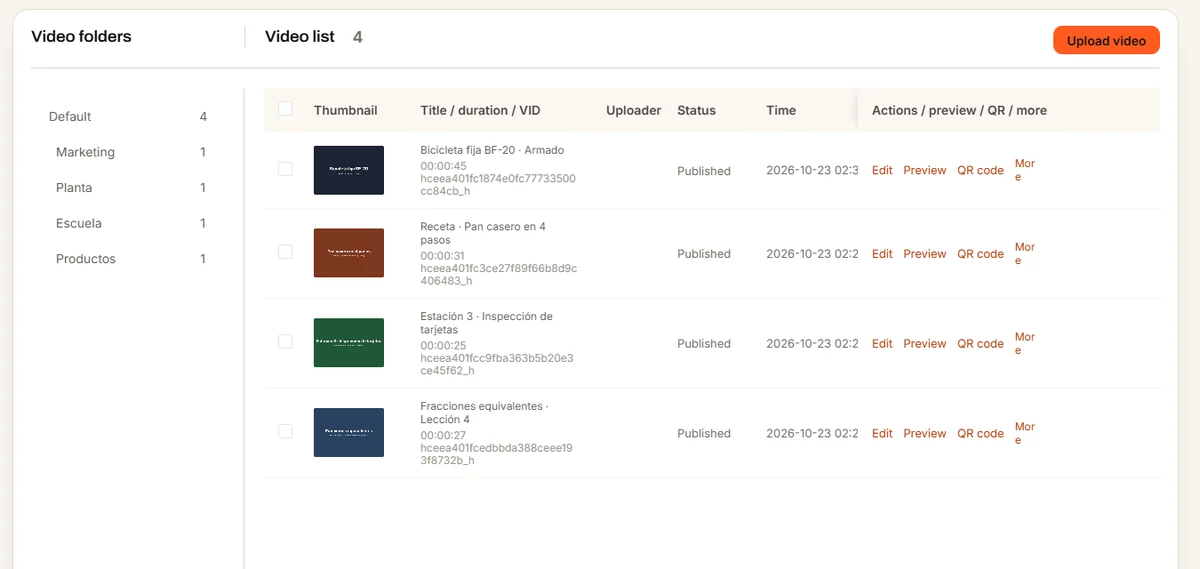
Organize your videos in folders, search them by name and change whatever you need, right from your computer.
FAQ
Create your account, upload a video and scan it yourself. If you get stuck, we'll help you on WhatsApp.